Smart App Control
Control everything from your smartphone
Monitor air quality in real time, fine-tune purification power, manage lighting and calibrate for your exact room size — all from one beautifully simple app.
dp-Pro app overview
dp-Pro device dashboard
01 — Live Dashboard
All your devices,
one glance

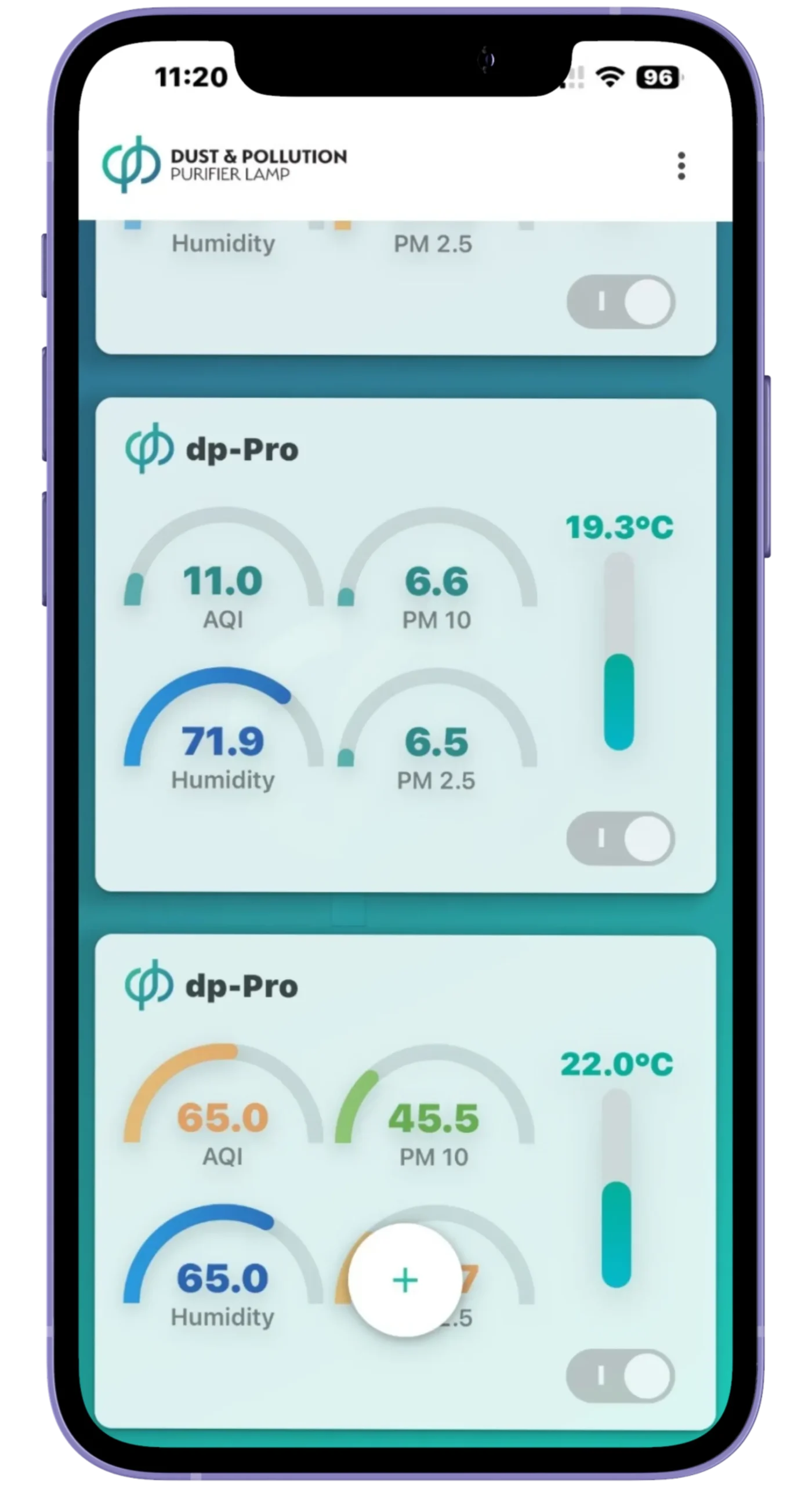
Open the app and instantly see all connected dp-Pro units as live cards. Each card shows AQI, PM2.5, PM10, temperature and humidity — so you always know what you're breathing in every room.

11.0AQI
6.6PM 10
71.9%Humidity
19.3°CTemp
AQI, PM2.5 and PM10 per device — updated continuously
Temperature and humidity shown as clear arc gauges
Manage multiple dp-Pro units from a single home screen
dp-Pro device overview
dp-Pro air purifier control
02 — Purifier Control
Precision purification
in your hands

Take full command of your purifier. A smooth power slider controls fan speed, with live RPM and m³/h gauges responding in real time. Switch between Manual and Automatic mode, and toggle UV-C sterilisation in a single tap.
1456RPM
520m³/hr
UV-CBuilt-in
Live RPM and m³/h gauge dials show real-time airflow
Manual or Automatic mode — switch with one tap
UV-C toggle for built-in internal sterilisation
dp-Pro purifier control
dp-Pro LED light control
03 — LED Lighting
Intelligent light
management

Select Top, Middle or Bottom LED zones independently. Fine-tune brightness and shift light warmth from cool daylight white to warm evening ambiance — all from the app, at any time.
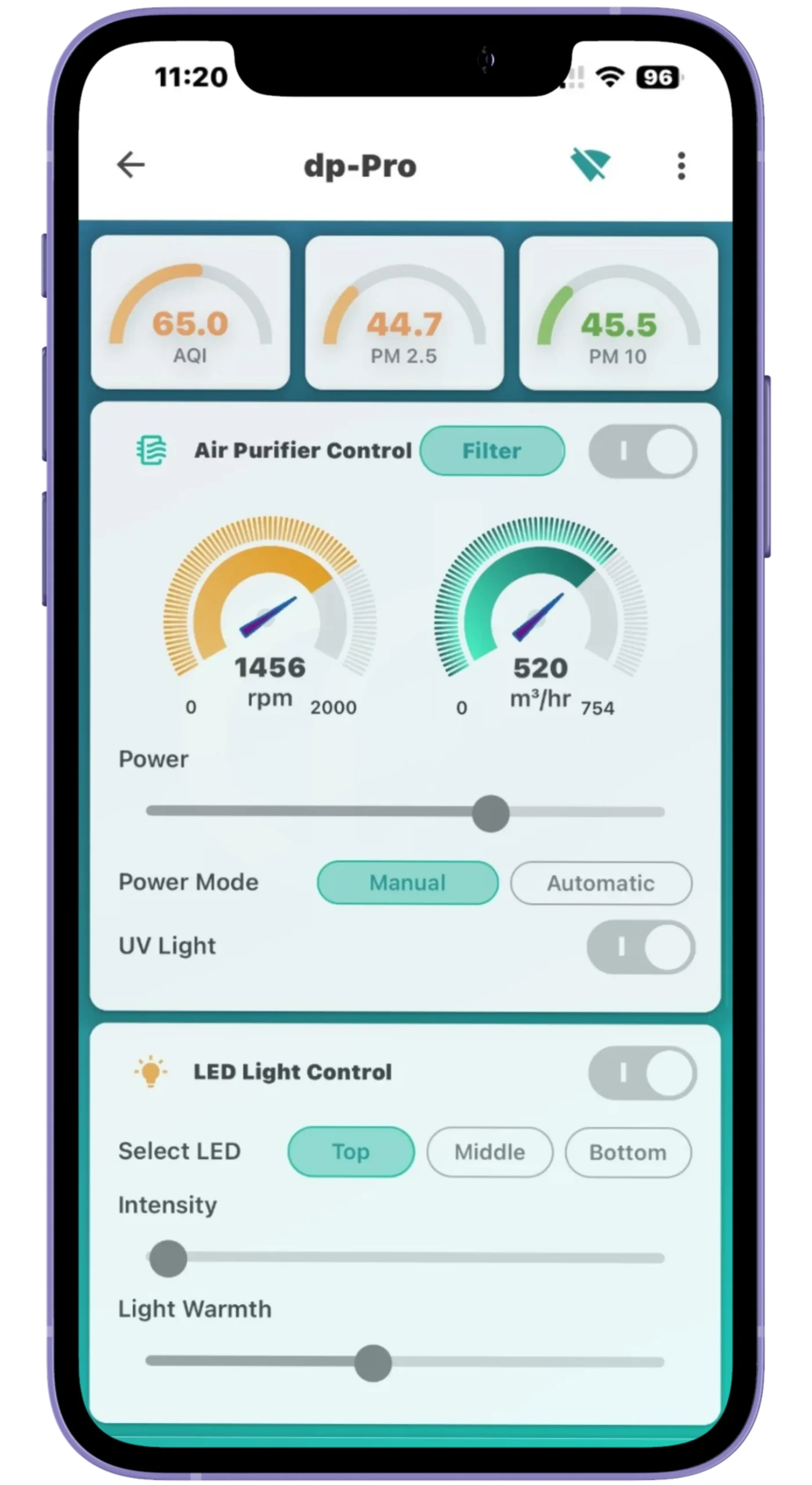
Top, Middle and Bottom LED zones controlled independently
Intensity slider for full-range dimming in each zone
Light Warmth slider — from cool white to warm white
dp-Pro LED lighting
dp-Pro filter health
04 — Filter Health
Always know your
filter status

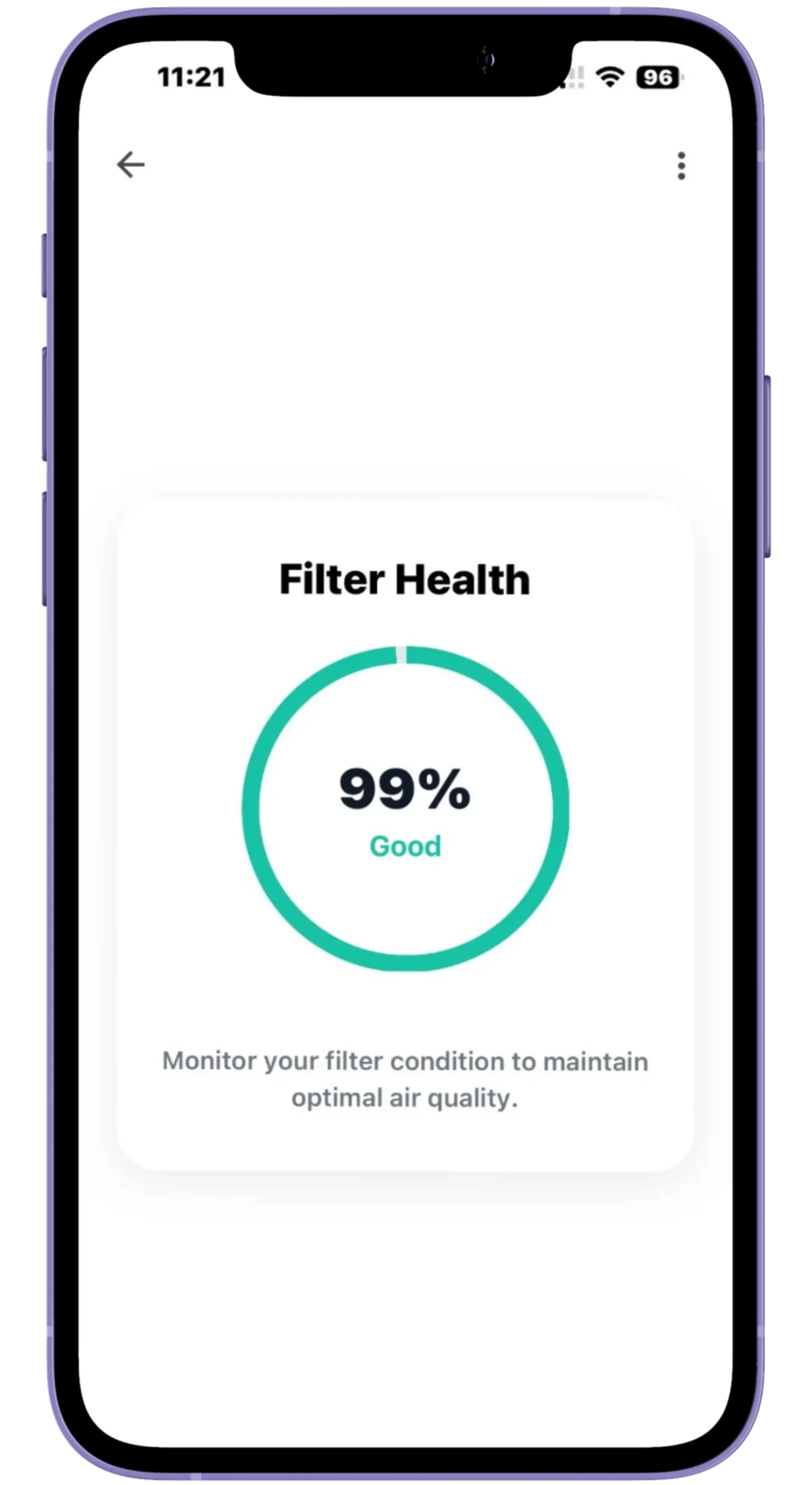
A large circular progress indicator shows your HEPA H14 filter's remaining capacity as a clear percentage with a plain-language status. Plan replacements before performance drops.
99%Filter life
GoodStatus
Large circular gauge with precise percentage reading
Simple Good / Replace status — instantly understood
Never miss a timely HEPA H14 filter replacement
dp-Pro filter health
dp-Pro room settings
05 — Smart Setup
Auto-calibrate
for your room

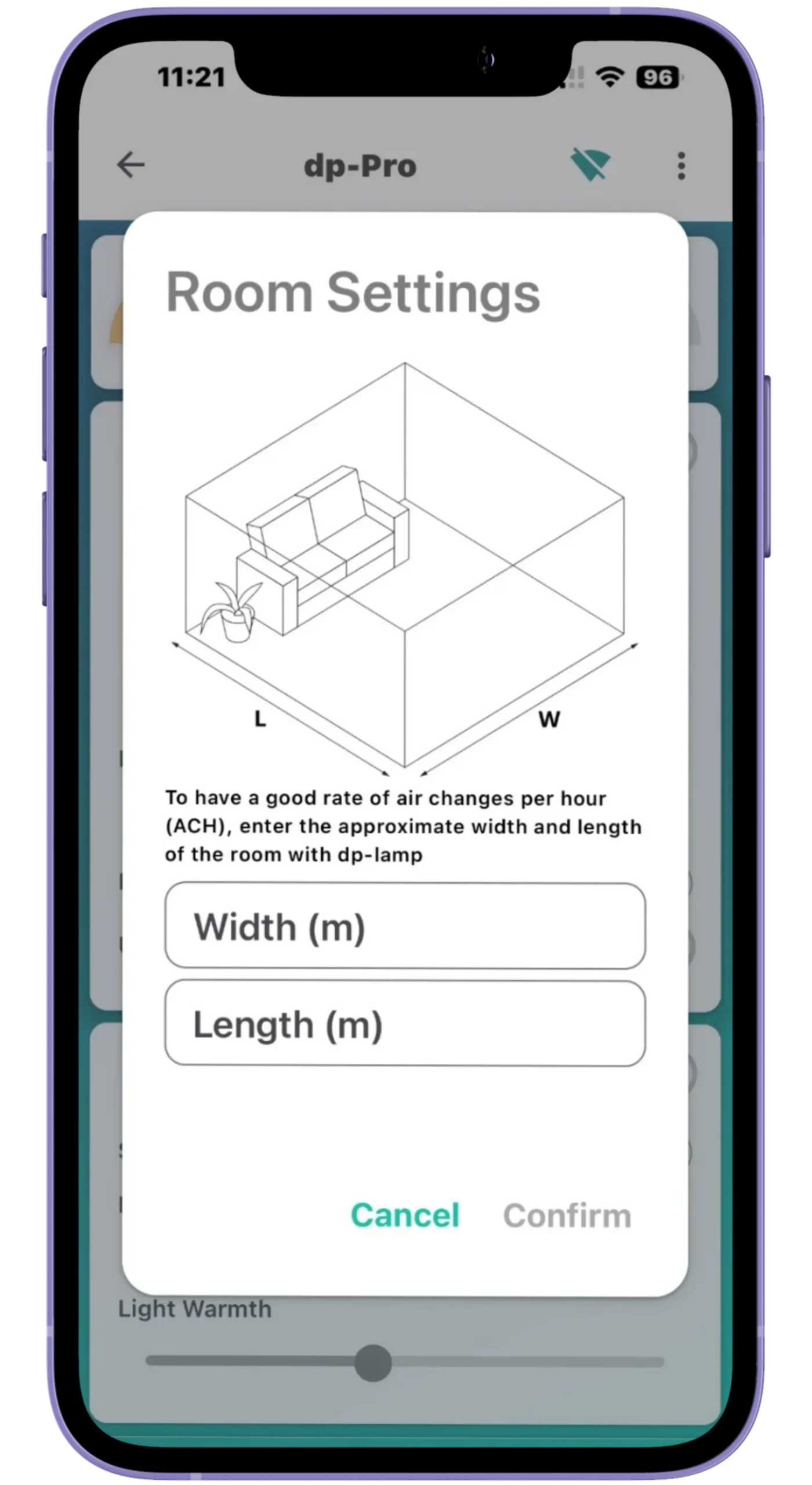
Enter your room's width and length in metres and the dp-Pro app automatically calculates the optimal fan speed — targeting approximately three complete air changes per hour for your exact space.

Enter room width and length in metres via a clear dialog
App auto-calculates fan speed for ~3 air changes per hour
Efficient, room-volume-matched purification at all times
Everything the app does
Six features, one app
Live Monitoring
Live monitoring
Real-time air quality across every room
AQI, PM2.5, PM10, humidity and temperature — updated continuously for every connected dp-Pro unit, displayed as colour-coded arc gauges for instant understanding.
Fan Control
Fan control
RPM & airflow gauges
Smooth power slider with live rpm and m³/h dial gauges. Full manual control or let Automatic mode adjust to air quality.
LED Lighting
LED lighting
Top, Middle & Bottom zones
Independently dim and colour-tune three LED segments. From cool daylight to warm evening ambiance in seconds.
Filter Tracker
Filter tracker
HEPA H14 filter health
Clear percentage gauge and Good / Replace status so you always know exactly when to change your filter.
UV-C Control
UV-C control
One-tap sterilisation
Toggle the internal UV-C light on or off from anywhere — an extra layer of purification at your fingertips.
Particle Detail
Particle detail
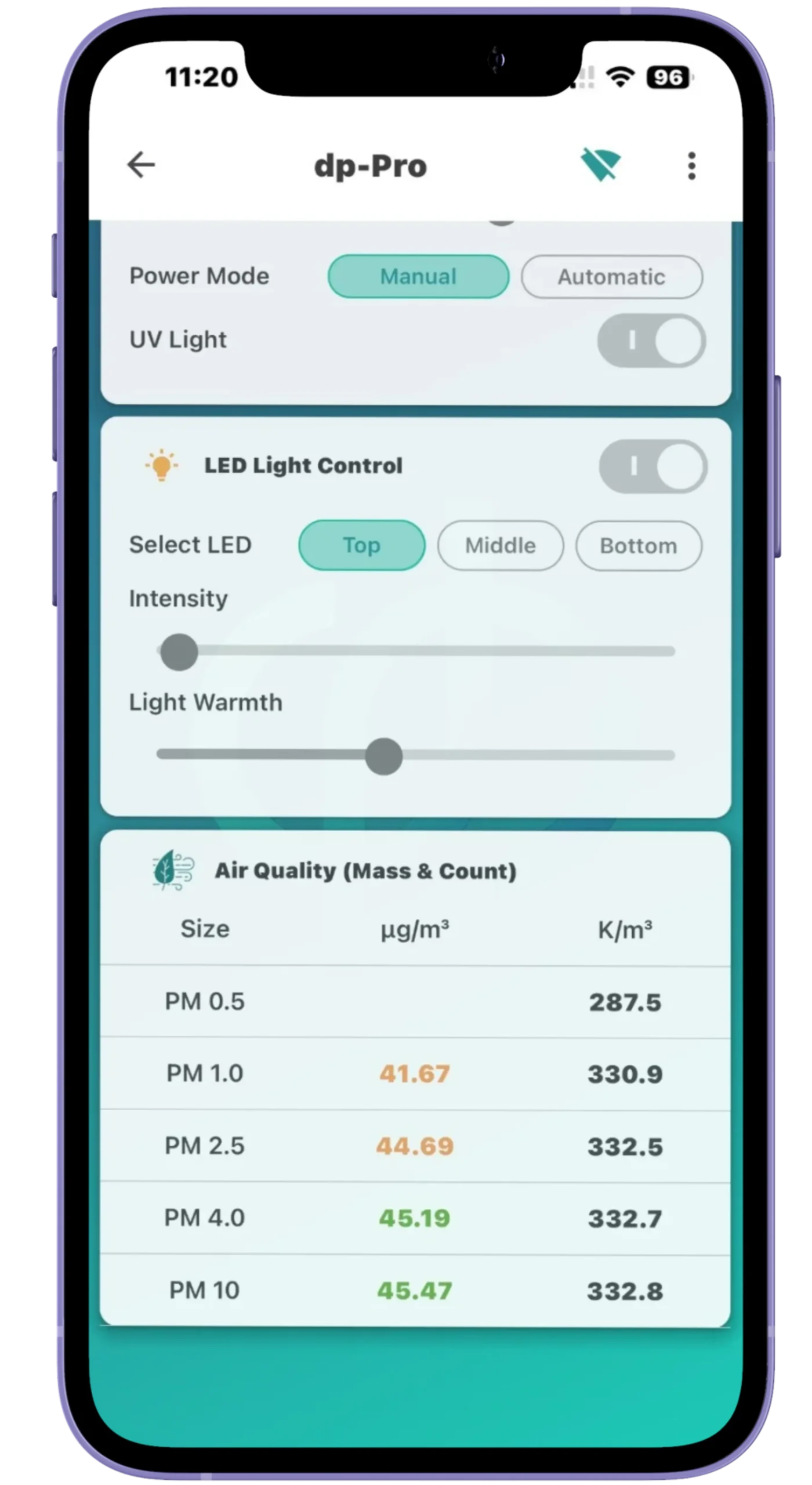
PM0.5 to PM10 breakdown
Full particle data in µg/m³ and K/m³ across PM0.5, 1.0, 2.5, 4.0 and 10 — complete transparency on indoor air.
Exclusive access
Get the dp-Pro app
The dp-Pro app is exclusive to device owners. Once your unit is professionally installed, you receive a personal QR code to download and connect in minutes.
Android
Place Android QR code here
Scan for Android
Provided at installation
by your dp-Pro technician
iPhone / iOS
Place iOS QR code here
Scan for iPhone
Provided at installation
by your dp-Pro technician
App access is provided exclusively to dp-Pro device owners upon professional installation
Setup guide
Connect in under two minutes
Your technician will walk you through this on installation day — here it is for your reference.
1
Power on Turn on the dp-Pro using the wall switch — the LEDs will illuminate.
2
Connect to hotspot Connect your smartphone to the dp-Lamp Wi-Fi hotspot.
3
Enter password Wi-Fi password: 12345678. Open the DP-Lamp app and tap + Add Device.
4
Scan QR code Scan the QR code on the device or inside the filter cover.
5
Join home Wi-Fi Go to Settings → Wi-Fi Settings and connect the device to your home network.
6
You're live Wait 10–20 seconds. Your dp-Pro is connected and monitored in real time.